
The member portal is where you manage your organization’s Tiny News Collective membership. Membership is set up at the organizational level, meaning only authorized representatives from your newsroom should manage your account. Make sure you are using the email address connected with your organization’s membership.
Table of Contents
Sign up for the member portal and make your first payment
Once your organization has been accepted as a member, the next step is to set up your member portal account. This account is where you’ll manage your membership, update billing information, and access important services and tools available to your newsroom.
You’ll need:
- An invitation from a TNC staff member
- An organizational email address to manage communication and billing. We recommend using a shared admin email (e.g., admin@yourorganization.org) so access can be managed over time.
- A debit or credit card to pay for your membership tier
- Go to https://members.tinynewsco.org/#/portal/signup. Enter your first and last name and your organizational email. Check the box agreeing to TNC’s Membership Terms of Service.
- Select the tier you were approved to join: Community or Publisher.
- Enter your payment information. Billing is processed through Stripe. After submitting your payment, you’ll see a confirmation message at the top right of your screen. Your membership becomes active immediately and will renew monthly on the date you subscribed.
Update your payment method
You can update your payment method at any time.
- Go to https://members.tinynewsco.org/#/portal/account
- Click Update next to Billing Info
- You’ll be redirected to Stripe to make changes
Change your membership tier
Complete the form
If you’d like to change your TNC membership tier at any point, please complete the Change of Membership form below.
Per TNC Membership Terms of Service, this should take place at least 30 days in advance of when you want to change tiers, so TNC can assist you to successfully onboard or offboard services when switching tiers.
Change your TNC member tier subscription on the Member Portal:
1. After completing the Change of Membership form and having your change approved by TNC, go to https://members.tinynewsco.org/#/portal/signin to sign in to your account. You will have to click the secure sign-in link sent to your email to log in.

2. Once you’re signed in, or if you are already signed in to your account, go to https://members.tinynewsco.org/#/portal/account and click “Change” next to your current tier.

3. Select “Choose” next to the tier you want to upgrade or downgrade from.
- Confirm your new tier subscription.

You will be taken back to your account screen and see a confirmation message that your new tier subscription was successful. You will immediately be charged the tier difference at the time of upgrade.
If you have any questions or concerns about your payments or renewal for your new tier, please contact a TNC staff member to provide more detailed payment information.
Pause your membership
If your organization needs to temporarily step back from Tiny News Collective services, you may request to pause your membership. Pausing allows you to take a break from billing and member benefits without permanently leaving the Collective. Pauses must be requested at least 30 days before your next billing date.
When your membership is paused:
- Billing stops during the pause period
- Your organization loses access to all paid member services and tools
- Fiscal sponsorship discounts
- Ghost Pro and Canva Pro access
- Coaching, office hours and technical support
- Slack community and community activities
- Your member account remains on file so you can reactivate later without reapplying
Membership pauses are designed for short-term transitions such as restructuring, fundraising, team changes, or launch delays.
- You may request a pause for one to six months
- If you need a break longer than six months, we recommend canceling your membership and rejoining when you are ready to fully benefit from TNC support.
To support your organization and understand your evolving needs, we’ll check in at the 1-, 3-, and 6-month marks of your pause. These check-ins help you decide whether you’re ready to reactivate, need to continue your pause, or would benefit from exploring other options.
Canceling does not affect your ability to return. You’re welcome to reapply when your organization is better positioned to use and benefit from the services.
How to request a pause
- Complete the Pause membership request form
- A TNC staff member will review your request and confirm eligibility
- Once approved, your membership will be paused on the agreed-upon date, and billing will stop automatically
When you’re ready to return:
- Contact a TNC staff member to reactivate your membership
- You will receive instructions to restart billing and confirm your tier
Once active, your organization immediately regains access to all services associated with your tier.
If you’re uncertain whether you should pause, change tiers, or switch to fiscal-sponsorship-only service, reach out. A TNC staff member can help you determine the best option based on your goals and current capacity.
Cancel your membership
Per TNC Membership Terms of Service that the owner(s) of your publication agreed to upon becoming a TNC member, your publication has to provide written notice at least thirty (30) days prior to when you want your TNC membership to be terminated.
This can be done by completing the Membership Termination Request form below.
Your notice gives TNC staff sufficient time to offboard you from the TNC services involved in your membership tier, including tech platforms, fiscal sponsorship, support services, and more.
Please note that publication membership to TNC is on an organizational basis, not on a founder or owner-basis. If you are leaving a position at your organization, but the organization will continue to operate under other personnel, your organization can still continue its membership to TNC.
After your offboarding is completed, you will lose access to this Member Portal. It is your responsibility to cancel your membership fee subscription in your TNC member portal on behalf of your organization, otherwise, you may continue to be charged after.
To cancel your TNC member tier subscription on the Member Portal:
1. After completing the Membership Termination Request form, go to https://members.tinynewsco.org/#/portal/signin to sign in to your account. You will have to click the secure sign-in link sent to your email to log in.
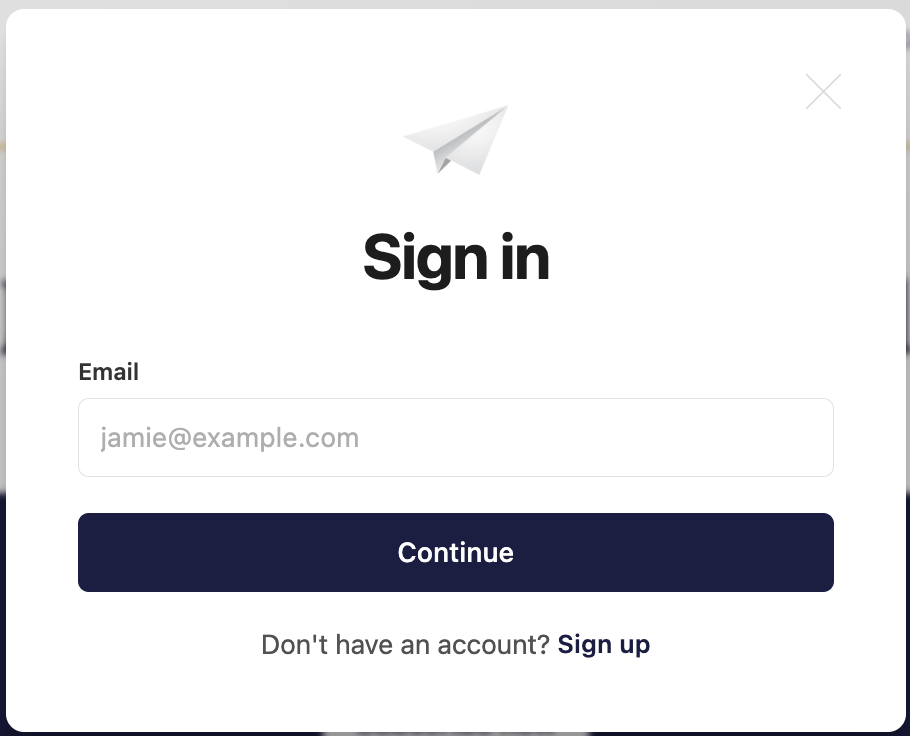
2. Once you’re signed in, or if you are already signed in to your account, go to https://members.tinynewsco.org/#/portal/account and click “Change” next to your current tier.

3. Click “Cancel subscription” under the “Change plan” tier options.
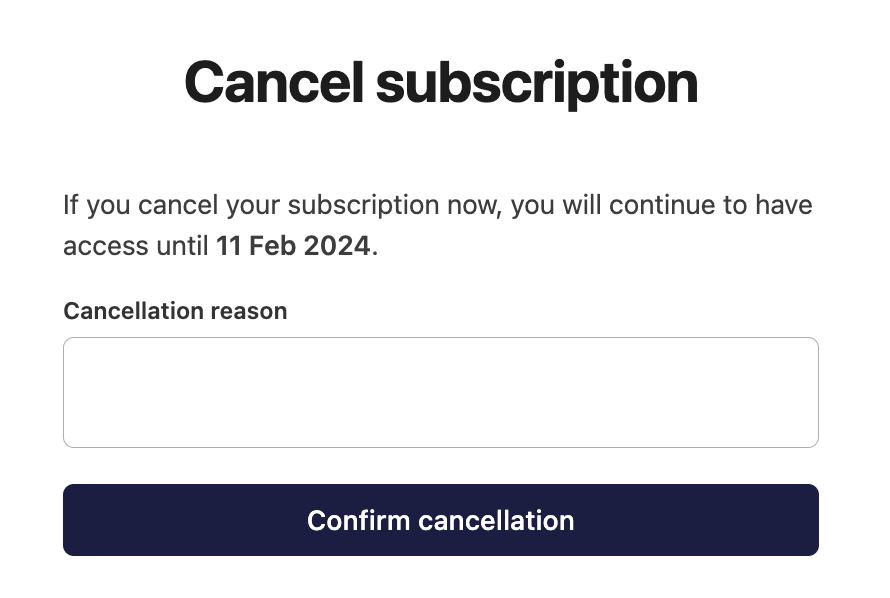
4. Fill out a reason for canceling subscription (optional), and then click “Confirm cancellation."
You will be able to access members.tinynewsco.org until the most recent billing date you’ve paid through. Your membership subscription will be canceled and you will no longer be charged.
We’ll miss you!